 pevans

Digital Forensics Incident Response: Key Fundamentals for Effective Investigations
Digital Forensics and Incident Response combines containment, evidence collection, analysis, and remediation to help determine what happened during a cybersecurity incident, how far the activity spread, and what needs to happen next.
Digital Forensics and Incident Response (DFIR) is about containing a threat, collecting and preserving digital evidence, analyzing that evidence, and ultimately addressing the issues that allowed the incident to occur.
It is a key part of investigating cybersecurity incidents because it helps responders determine what happened before, during, and after an attack.
Put simply, DFIR helps an organization get off the “X”, the danger zone where it is most vulnerable and move toward understanding and controlling the incident.
At its core, DFIR involves gathering information from sources such as workstations, servers, mobile devices, network infrastructure, security platforms, and cloud services, then analyzing that information to understand the actions of an attacker.
That evidence may include everything from file metadata and operating system artifacts to authentication records and network logs. Each source provides a different piece of the puzzle.
The goal is to bring those pieces together and develop a clear, supportable understanding of what occurred.
The DFIR Process
At a high level, DFIR can be broken into several areas: preparation, detection and investigation, containment, eradication, and recovery.
Preparation
Preparation happens before the incident.
This includes defining policies, identifying responsibilities, understanding available data sources, preparing tools, and making sure the organization knows who will be involved when an incident occurs.
Good preparation can make everything that follows easier because responders spend less time trying to determine who owns a system, where logs are located, or who has authority to make important decisions.
Detection and Investigation
Once suspicious activity is identified, responders begin gathering information and determining what happened.
Collection and analysis can begin very quickly and often occur in parallel with scoping and containment.
You do not always need to completely understand an incident before taking action.
Containment
Containment is about stopping or slowing the threat while the investigation continues.
This could involve disabling an account, isolating a system, blocking malicious infrastructure, changing credentials, or taking another action designed to prevent additional damage.
Containment does not necessarily mean the incident is over. It is often about stabilizing the situation so responders have time to understand it.
Eradication
Once the attacker’s activity is better understood and the immediate threat is controlled, eradication focuses on removing the cause of the compromise and the mechanisms that allowed the attacker to maintain access.
This may involve removing malware, eliminating persistence, closing vulnerabilities, resetting credentials, changing configurations, or addressing other weaknesses identified during the investigation.
Recovery
Recovery focuses on safely returning systems and services to normal operation.
It should also include learning from the incident. Findings from the investigation can be used to improve monitoring, security controls, processes, and future response efforts.
Common Pitfalls in DFIR
DFIR can become complicated very quickly.
One of the easiest mistakes to make is overcomplicating the investigation before you have clearly defined what you are trying to understand.
Modern environments can generate enormous amounts of data. Investigators can easily become overwhelmed, lose sight of the original questions, and spend valuable time examining information that has little relationship to the incident.
One way to reduce this problem is to start by clearly defining what is known.
For example, the initial information may be:
- A user clicked an unknown or suspicious link.
- Files were accessed at a date and time when that activity would not normally be expected.
- Company data was identified for sale or publication on the dark web.
- Employees received a suspicious email containing an attachment or link.
- EDR, antivirus, SIEM, or another security platform generated an alert.
Take those initial facts and narrow them down as much as possible. Identify dates, times, users, systems, files, IP addresses, or other details that can give the investigation direction.
The more clearly you can define the starting point, the easier it becomes to strategically focus your investigation.
Communication Matters
Another common problem during DFIR investigations is poor communication.
When roles and responsibilities are unclear, team members may duplicate work while other important tasks are missed entirely. That can lead to wasted time, missed evidence, or delays in responding to the threat.
This becomes even more important during complex investigations where incident responders, forensic analysts, network teams, system administrators, management, legal teams, and other groups may all be involved.
Each person should understand what they are responsible for and how their work fits into the larger investigation.
Start Your Investigation With What You Know
When beginning a DFIR investigation, start with the context of the incident and whatever early indicators are already available.
This is the beginning of scoping.
Timestamps are often an excellent starting point. They can help narrow the period of interest and give responders a point around which to examine other activity.
You may be thinking, “How do I begin with something I don’t know?”
You are correct, you do not know the full story yet. But someone knows enough to have identified a potential incident.
Start there.
Useful questions may include:
- What led you to believe you were breached?
- When was the suspicious email received?
- Did the user click the link? If so, when?
- When were suspicious or malicious files created?
- What alerts did the EDR platform generate?
- Did antivirus alert? If so, when and why?
- Which users, systems, or applications were involved?
User behavior can also provide important context.
If someone who normally works with human resources data suddenly begins accessing large amounts of sensitive engineering information, that change in behavior may deserve additional investigation.
Likewise, files created or executed around the suspected time of compromise may provide useful leads. Their filenames, paths, metadata, hashes, and surrounding activity can help determine whether they are connected to the incident.
Collecting and Preserving Evidence
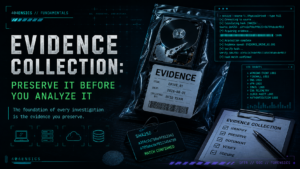
Gathering and preserving evidence is another important part of DFIR.
Evidence might include files, forensic disk images, memory, system logs, network logs, security telemetry, authentication records, email data, or information collected from cloud platforms.
Whatever the source, the goal is to preserve the evidence in a way that allows responders to analyze it while maintaining confidence in its integrity.
When forensic disk acquisition is appropriate, write-blocking technologies can help prevent writes to source media while a forensic copy is being created.
Documentation is also important.
Record what was collected, where it came from, when it was collected, who performed the collection, what tools were used, and other information necessary to understand how the evidence moved through the investigation.
Hashing can also be used to help verify that collected data has remained consistent between acquisition and later analysis.
Perform a Structured Analysis
When you begin analyzing evidence, do not throw darts into the darkness.
If you are examining a file, user account, computer, log source, or other piece of evidence, have a reason for looking at it.
Do not simply walk through enormous amounts of data hoping that eventually something malicious appears.
Use the information provided by the organization to establish scope. Use available tools to process and prioritize data. Use known attacker behavior, indicators, timestamps, and the findings you have already developed to decide where to look next.
Build a Timeline
Start building a timeline early in the investigation.
It does not need to begin as a complicated forensic platform. A spreadsheet can be enough to start organizing what you know.
Useful timeline fields might include:
| Field | What to Record |
|---|---|
| Date / Time | When the activity occurred, including the relevant time zone. |
| System | Hostname, IP address, device, service, or other affected asset. |
| Source | Event log, EDR, firewall, filesystem artifact, authentication log, or other evidence source. *This should not be the tool that tells you the information, but the actual source. E.g. Don’t put the source as Autopsy (this is the tool that parsed the data), but instead “Microsoft-Windows-PowerShell%4Operational.evtx” |
| User | User account or identity associated with the activity. |
| Event | A concise description of what occurred. |
| Assessment | Known malicious, suspicious, potentially relevant, legitimate, or still under review. |
| Notes | Additional context, related evidence, or questions that still need to be answered. |
| Hash | Preferably SHA256 hash to maintain integrity of the source evidence and verify this is where the information originated form |
You will not always know immediately whether an event is malicious, legitimate, or directly related to the investigation.
That is normal.
When something appears potentially relevant, include it and continue investigating. It is easier to remove an event from the working timeline later than to rediscover an important artifact that was dismissed too early.
If you scoped the incident effectively, much of the unrelated data should already have been filtered out.
As events are organized chronologically, patterns often begin to emerge. Authentication activity may line up with file execution. File execution may align with network connections. Those connections may lead to another system or account.
That is when individual artifacts begin turning into a story.
Conclusion
DFIR is ultimately about taking a large amount of technical information and turning it into an understandable account of what happened.
Start with what is known. Define the scope. Contain threats when action is necessary. Collect and preserve useful evidence. Analyze that evidence with a purpose, and begin building a timeline that connects individual artifacts into meaningful activity.
Do not expect every answer to appear immediately. Investigations develop over time, and new evidence will often cause you to revisit earlier assumptions, expand the scope, or ask entirely new questions.
The goal is not to know everything at the beginning. The goal is to keep asking the right questions, follow the evidence, and steadily reduce what you do not know.